
ScreepT 0.9.98 closes two busy weeks: fourteen releases since 0.9.84. The short version:
- A new Crypter (beta). Authenticated encryption, Argon2id, an “Ultra” mode with two ciphers, public keys to share files without sharing a password, and encrypted data hidden in a normal looking picture.
- The PDF viewer edits. Move and change texts and images, rotate, reorder, delete and insert pages, extract and merge files.
- A file editor with two panels. Drag a tab to the right to work side by side; pinned tabs get their own row, and at start only the tab in front is loaded.
- Faster searches. Search in files and LogSearch read big files with several threads: on a 2 GB set of files a search in files takes about 0.3 s (measured on the author’s PC, files in the system cache, 0.9.86).
Crypter: a new engine (beta)
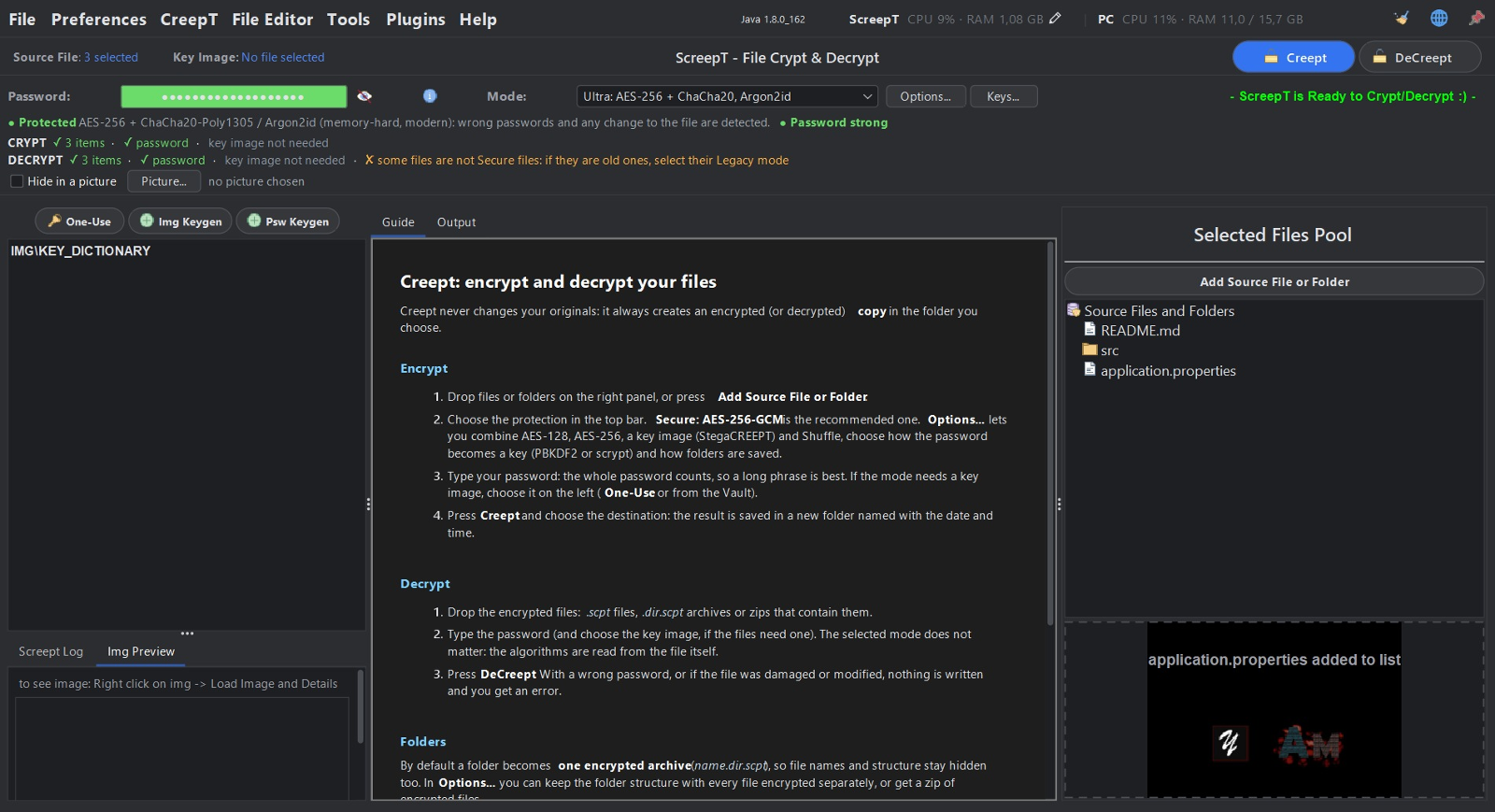
The Secure modes use authenticated AES-256-GCM or AES-128-GCM: a wrong password, a damaged file or a modified file is always detected, the whole password counts and decryption recognises the algorithms by itself. The password becomes a key with Argon2id. The Ultra mode uses Argon2id with 256 MB of memory and protects the data with two ciphers of different families, AES-256-GCM and ChaCha20-Poly1305, each with its own key. Layers and key derivation can also be combined by hand in Options… > Custom.
Public keys let you send a file to someone without sharing a password: each of you has a key pair, the private key stays in a file protected by your own password. Hide in a picture writes the encrypted data inside a normal looking PNG, and decryption recognises it by itself. Folders become a single encrypted archive, names included. Two lines under the controls tell what Crypt and Decrypt still need (files, password, key image, picture, keys). Passwords and keys are wiped from memory much more thoroughly than before.
In the file editor, text encryption uses the same authenticated engine, and files encrypted with the Secure modes (.scpt) open in a normal tab after asking the password: Save encrypts them again.
The Crypter is in beta and has not been reviewed by independent experts. It uses standard algorithms, but do not rely on it as your only protection for important data.
PDF viewer: edit, split, merge
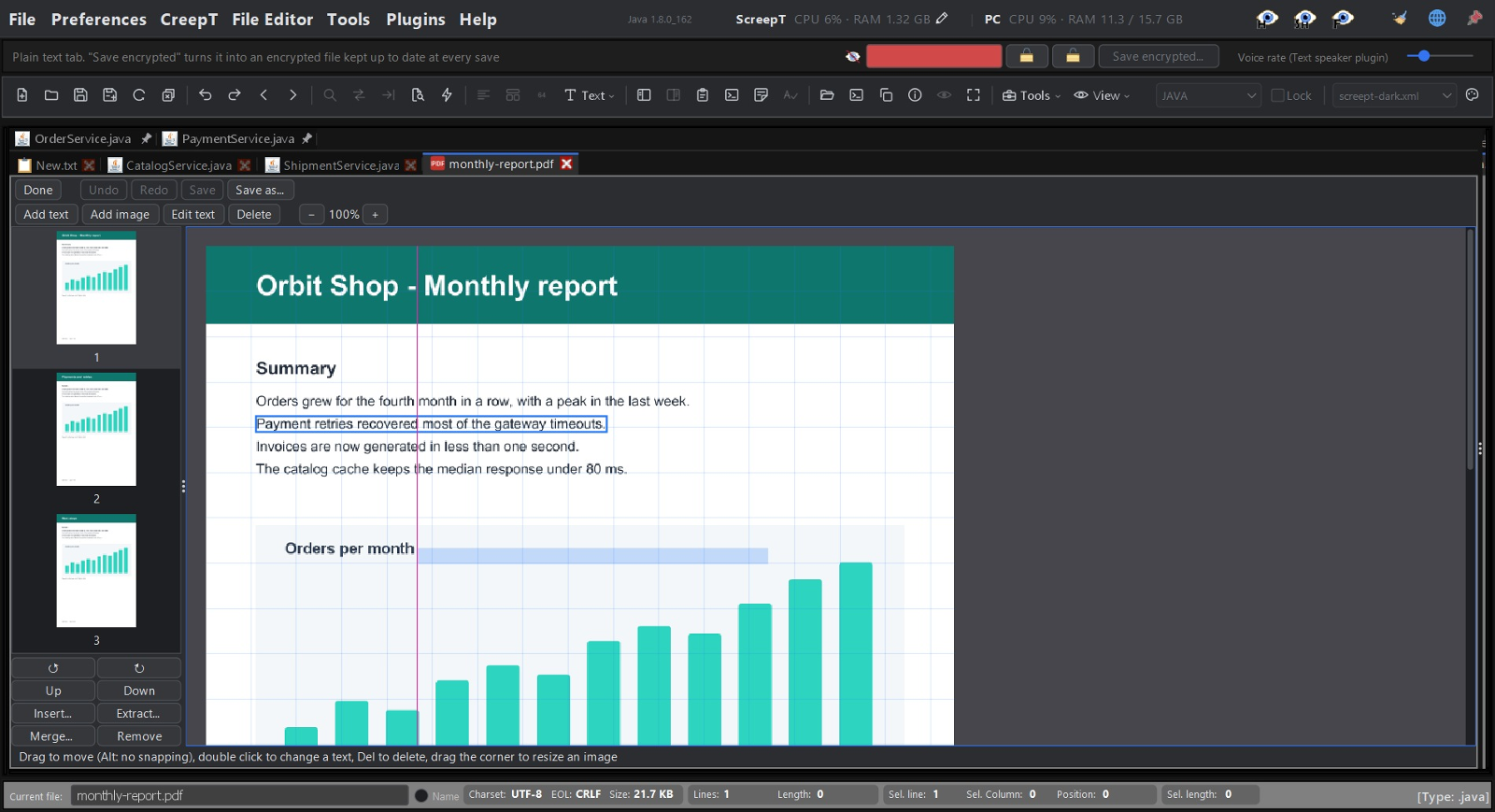
The PDF viewer has an Edit mode: drag lines of text and images, change the text of a line, delete elements, add texts and images, resize images. While you drag, a grid appears and the element snaps to the edges and centers of the others and of the page (Alt moves it freely). Pages can be rotated, reordered, deleted and inserted; Extract… writes the pages you choose to a new file and Merge… joins several PDFs. Save, Undo and Redo of the file editor (Ctrl+S, Ctrl+Z, Ctrl+Y) work on the PDF too. The editing functions need the updated PDF plugin.
File editor: two panels and a faster start
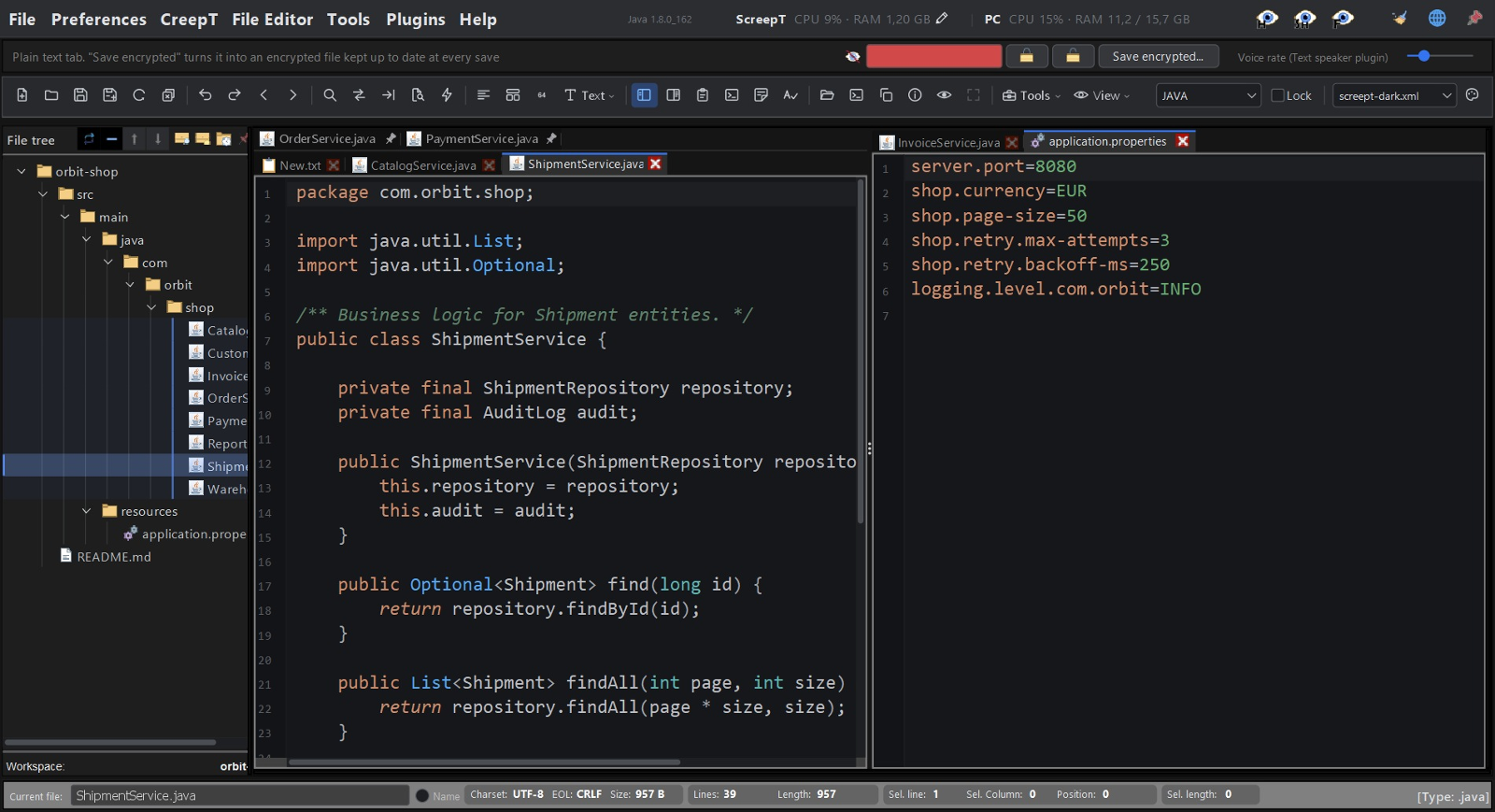
- Second panel. Drag a tab onto the right part of the text and it opens beside the first one. Toolbar, shortcuts and file tree follow the panel you click, and both panels come back at the next start.
- Pinned tabs have their own row (Alt+Shift+J pins or unpins the current tab), and viewer tabs show the icon of their viewer.
- Lazy tab loading. At start only the tab in front is read; the others load when you first select them, so dozens of open files no longer slow down the start.
- Encodings and line endings. Each file is read with the encoding it really has and saved with the same one; click the encoding in the footer to reopen or convert a file. Line endings stay as they were.
- Plugins as tabs. The PDF viewer and the Markdown viewer can be the viewer of their file types, inside the editor.
- Case conversions in the right click menu: camelCase, PascalCase, snake_case, kebab-case, CONSTANT_CASE and more.
Search in files and LogSearch
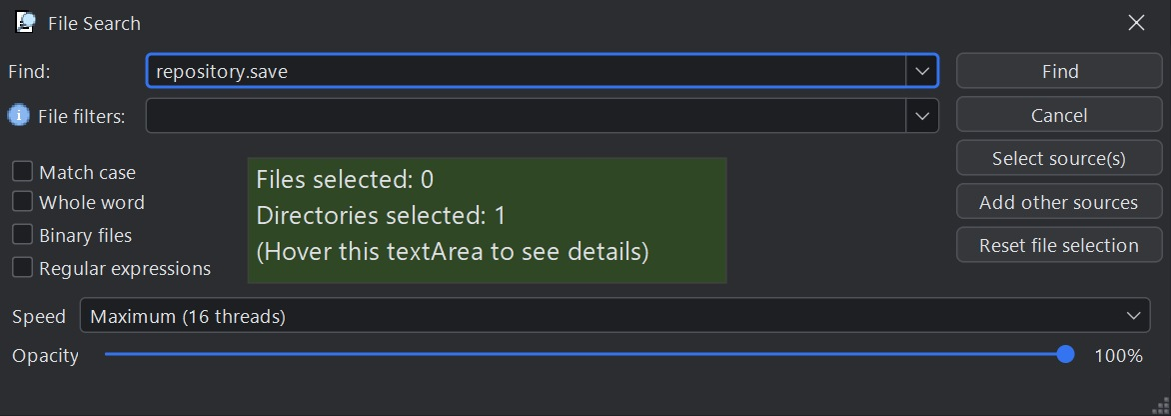
Search in files reads big blocks with several threads, looks for the rarest bytes of the text first and skips binary files quickly. A Speed selector (Gentle, Balanced, Fast, Maximum) scales with the cores of the PC, and a filter bar refines the results. With file filters it is up to 7 times faster on big folders (38,000 files: from 13 s to 1.8 s, 0.9.87). LogSearch is about twice as fast on big files: on a 2 GB log with 22 million lines a search takes about 0.65 s instead of 1.2 s, and the index is built in about 0.6 s (0.9.85). All times are measured on the author’s PC with the files in the system cache; a cold disk is limited by the disk itself. LogSearch also keeps the statistics of the last 100 searches, which can be exported as a web page.
Quick notes, Markdown and the rest
- Quick notes have tags, workspaces, export to Markdown, To do / Done filters, Undo after a delete, and drag and drop to reorder them.
- Markdown viewer 1.6: find and replace, document check (broken links, images and anchors), colored code, GitHub alerts, task boxes, emoji picker, table sort and paste from a spreadsheet.
- Launcher: desktop icon and Start menu entry on Windows; on Linux “Pin to panel” (Cinnamon and GNOME) and “Add Open with”. Full screen, immersive mode and the start of ScreepT are fixed on Linux.
- The menus open as soon as the mouse is over them, and the full screen of PDF, Markdown and LogSearch works with its own button or F11.
- More than 1200 automated tests now guard the application.
Version by version
- 0.9.85: Quick notes with tags, workspaces and export; pop-up filter bars with wildcards; recent workspaces in the file tree.
- 0.9.86: much faster Search in files with a speed selector and a results filter; LogSearch can search on demand.
- 0.9.87: plugins as editor tabs, tabs restored as they were, Alt+Shift+J pins a tab, movable Quick notes.
- 0.9.88: Crypter with authenticated AES-GCM and combinable layers; faster spell checker with a language menu.
- 0.9.89: second panel in the file editor, pinned tabs row, viewer icons on tabs.
- 0.9.90: menus open on hover, theme and font in both editor panels, hardened Crypter.
- 0.9.91: encrypted text tabs, case conversions, stronger Crypter defaults, more than 1200 automated tests.
- 0.9.92: lazy tab loading and a full screen that works for PDF, Markdown and LogSearch.
- 0.9.93: drag and drop in Quick notes, the right encoding for every file, Markdown viewer 1.6.
- 0.9.94: change the encoding from the footer, line endings kept as they were, Linux start fixes.
- 0.9.95: smoother home page, desktop icon and Start menu or panel buttons in the launcher.
- 0.9.96: Linux full screen fixed, ScreepT opens maximized.
- 0.9.97: PDF edit mode, merge and extract.
- 0.9.98: Crypter public keys, hide in a picture, Ultra mode, Argon2id everywhere.
ScreepT is portable: no installer, no admin rights, Java 8 to 21. Download it from the download page; an installed copy updates itself from Help > Check for software updates.